Marketplace
ZEISMO Security for WordPress
Local request monitoring, file integrity and malware checks, login safeguards and practical WordPress hardening in one clear workspace.
Version 1.0.0 is submitted for manual review. Downloads remain closed until WordPress.org approval is verified.
See it working
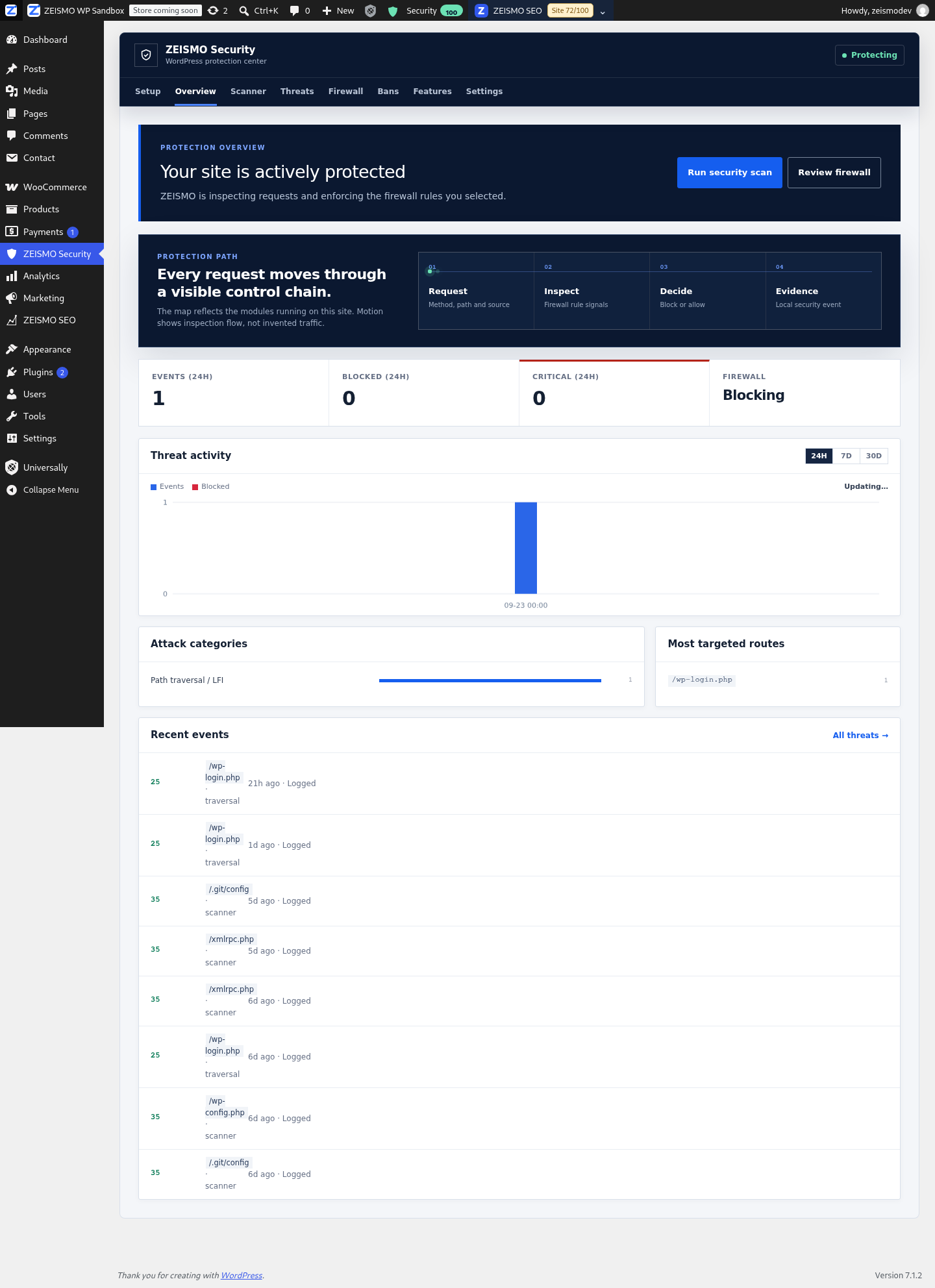
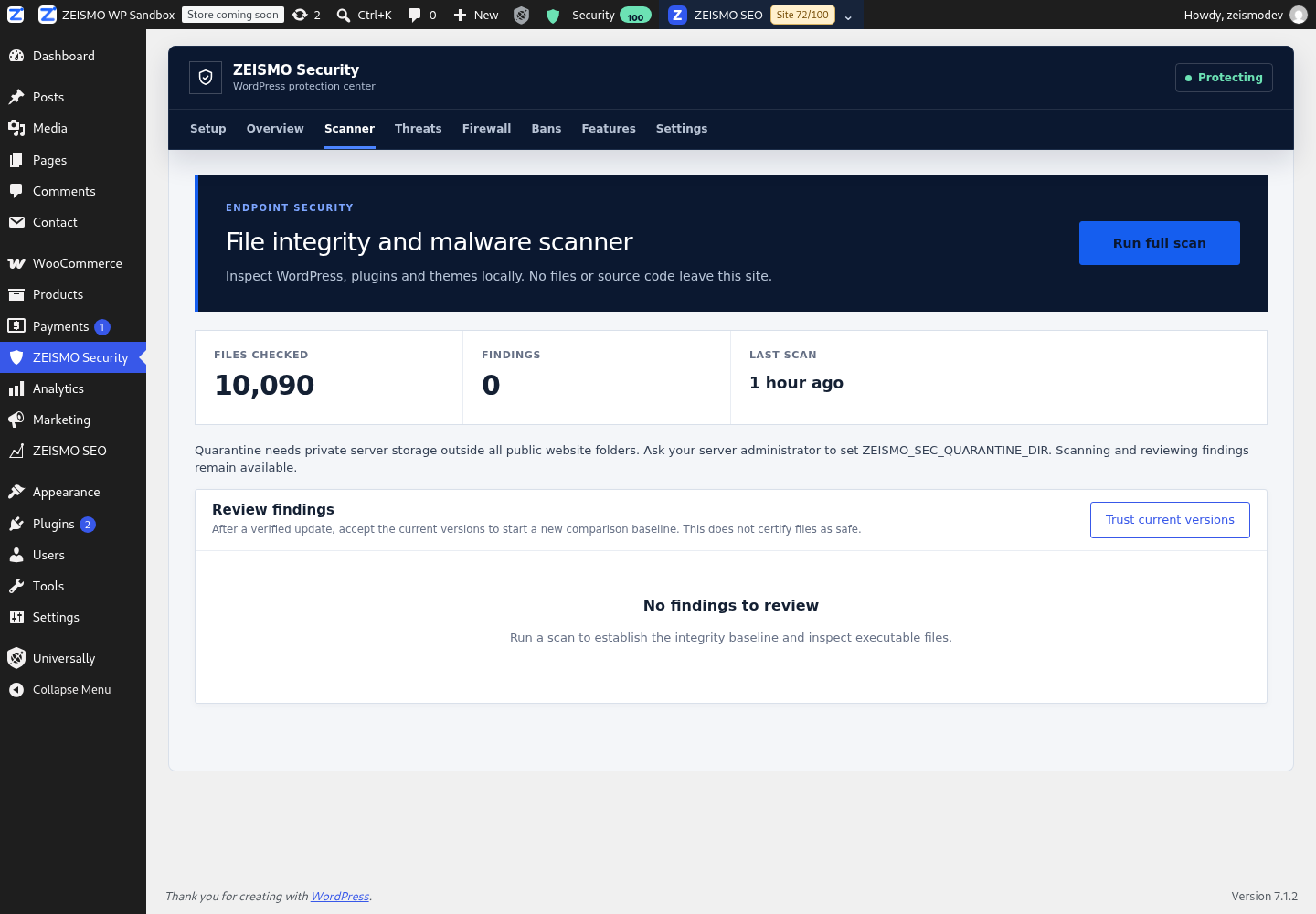
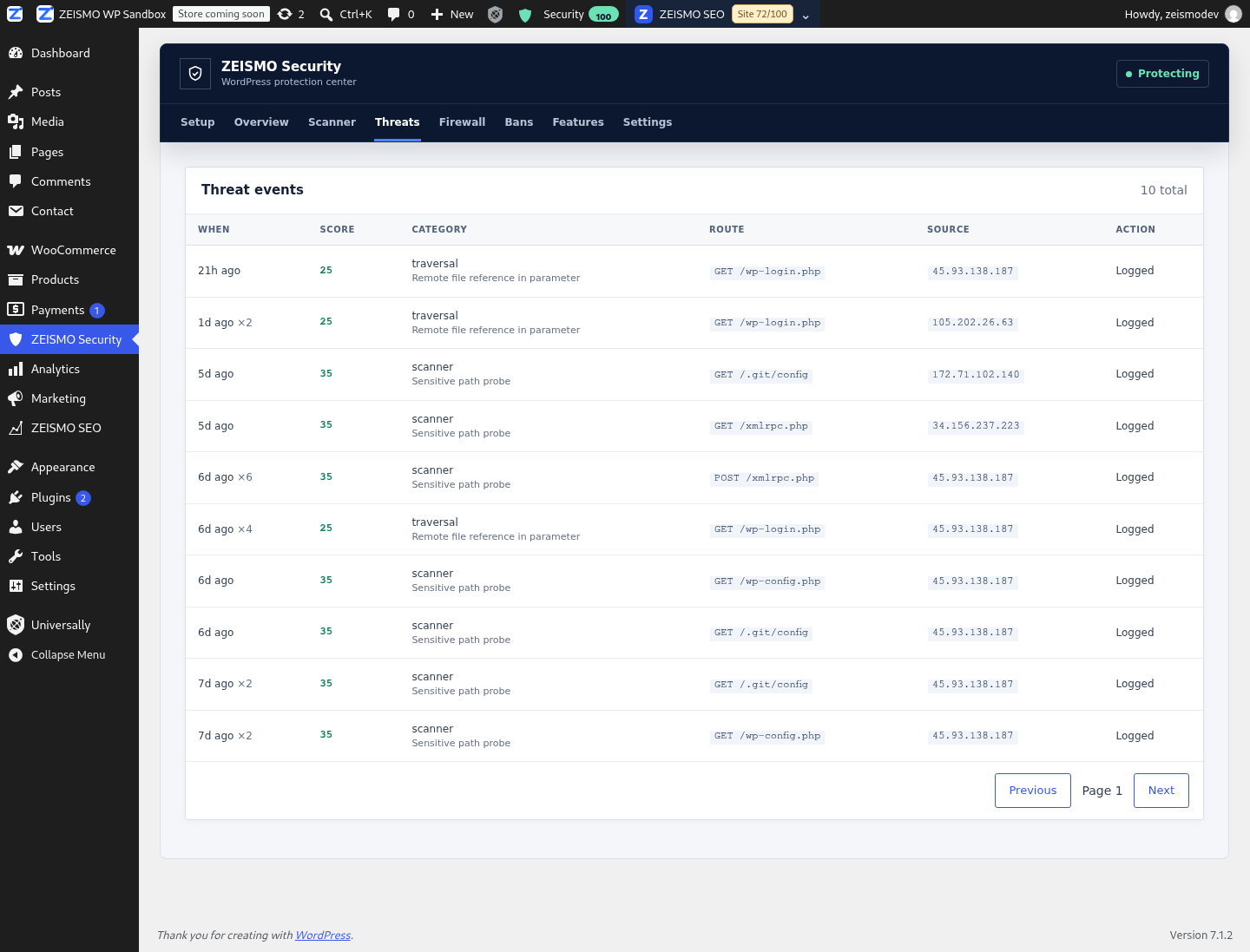
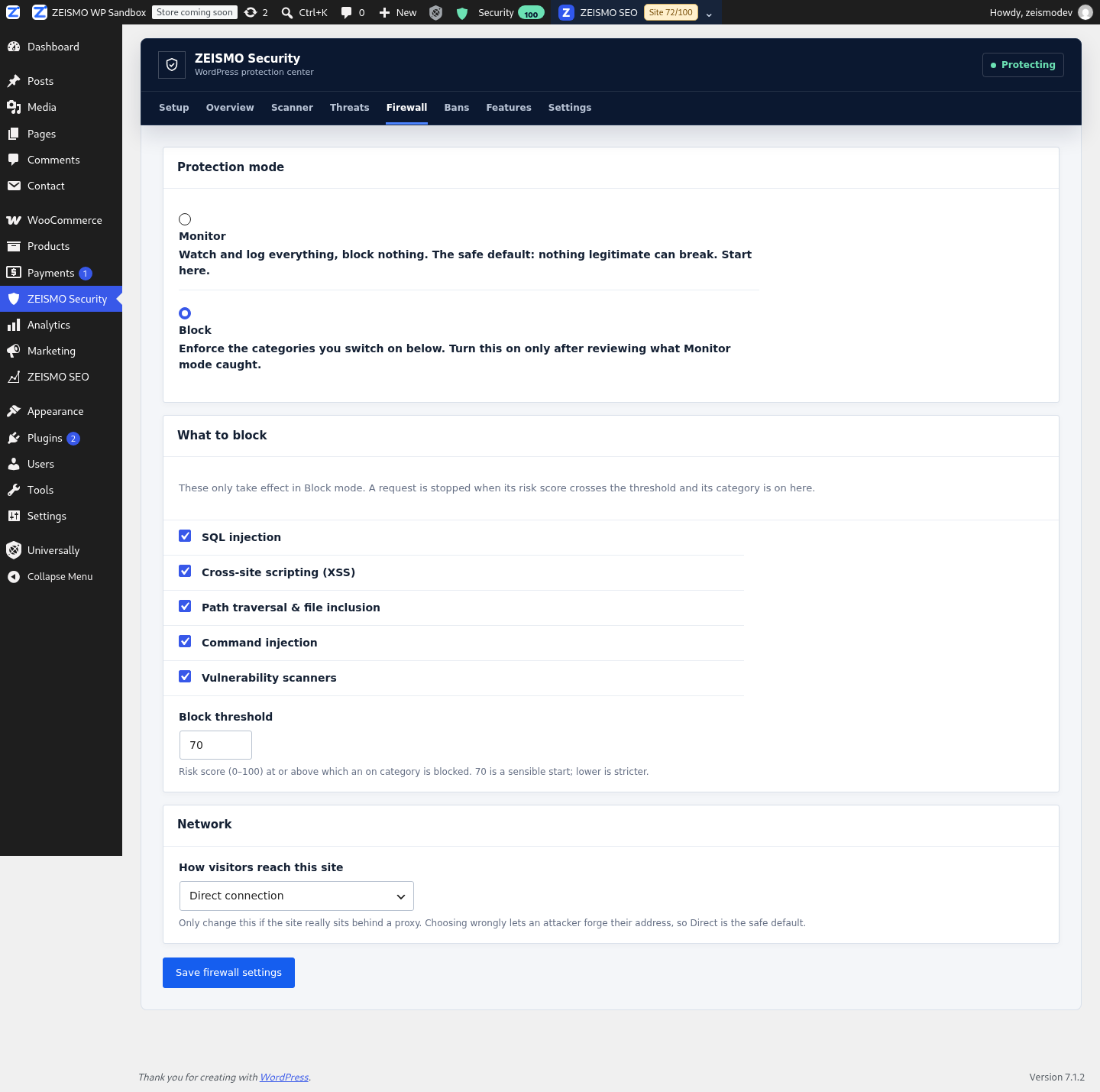
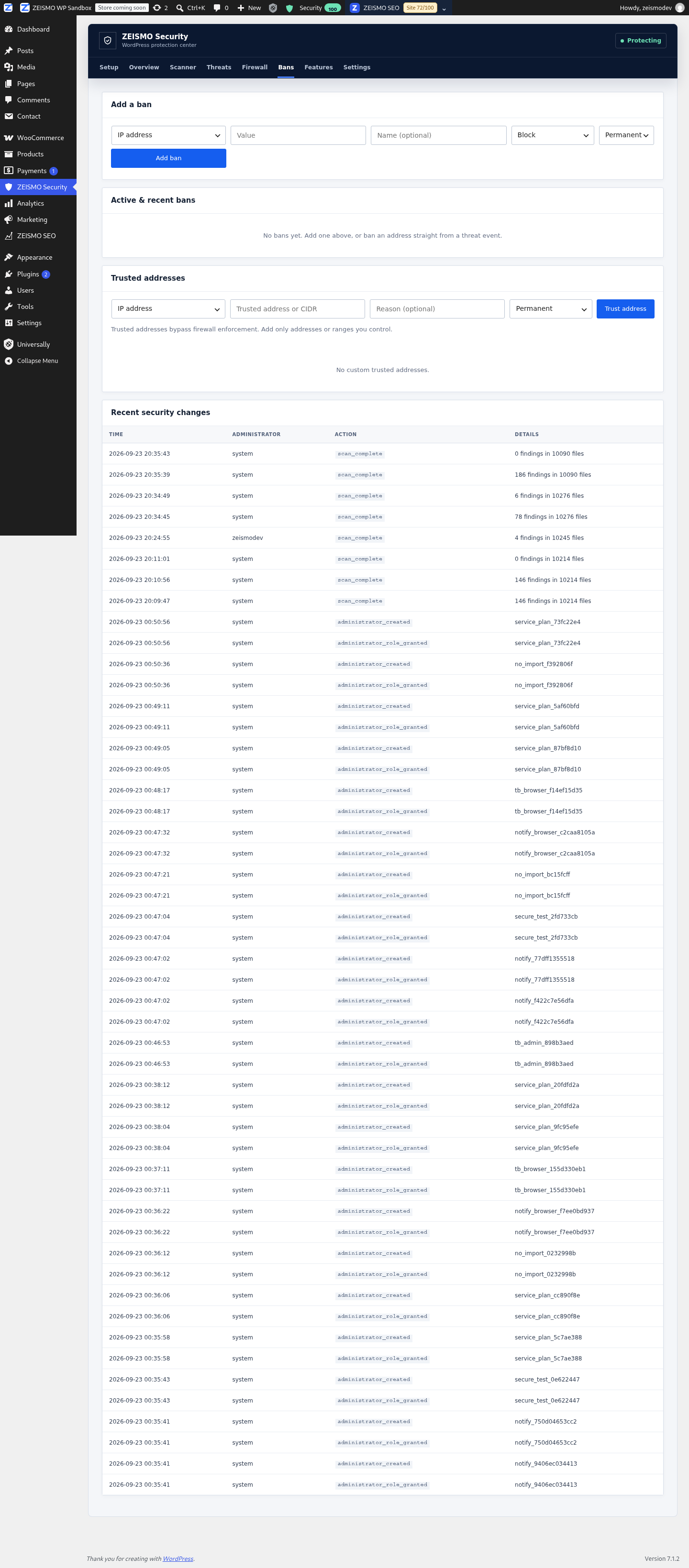
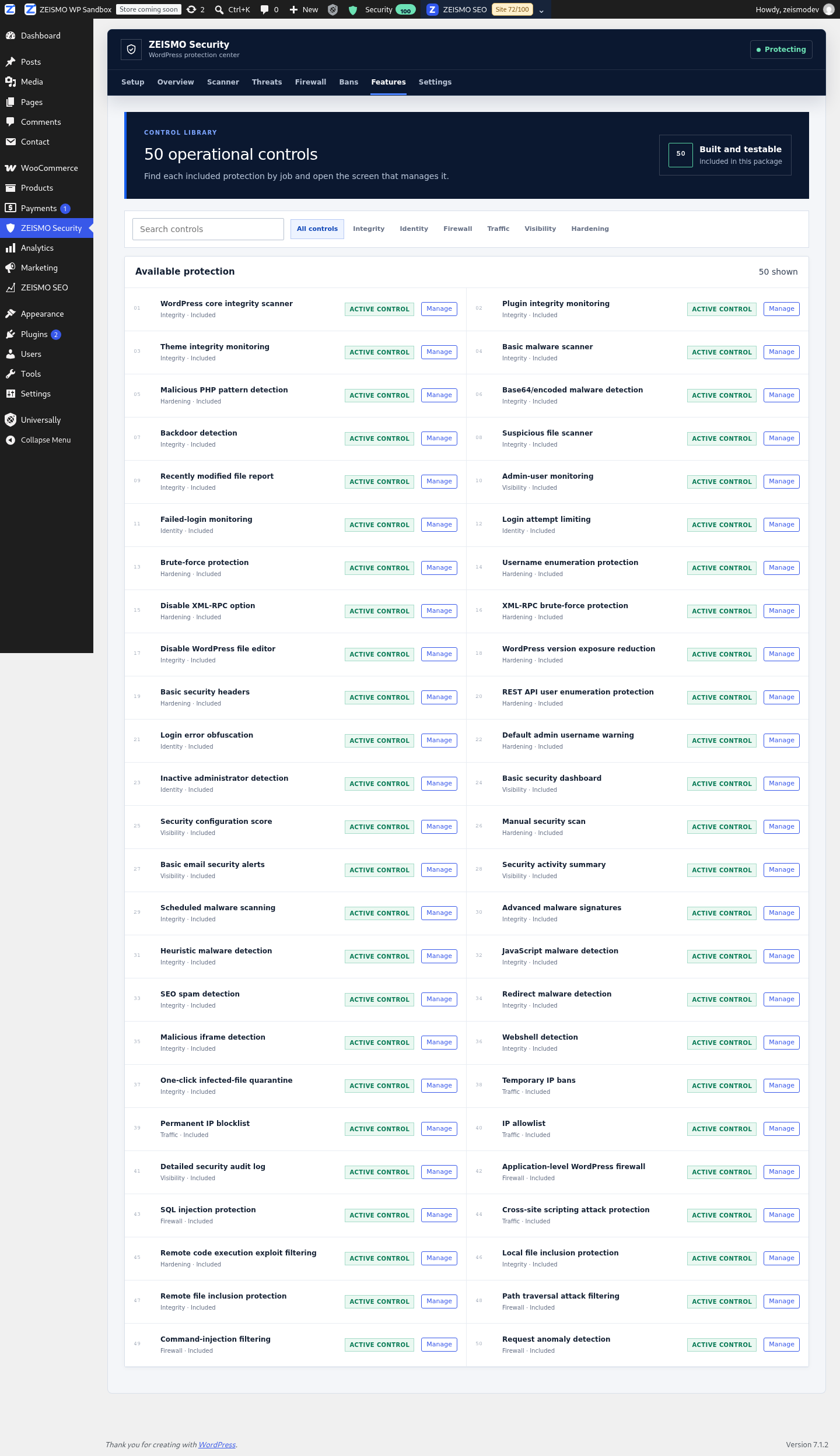
Real screens from version 1.0.0 in our WordPress sandbox. Activity shown is test data. Select any screenshot to open it at full size.
Everything in the box
File integrity and malware checks
- WordPress core, plugin and theme integrity checks
- PHP, encoded payload, backdoor and webshell patterns
- JavaScript, redirect, iframe and SEO spam detection
- Recent file changes, scheduled scans and reviewed quarantine
Firewall and request analysis
- Application level request monitoring
- SQL injection and cross site scripting signals
- File inclusion, path traversal and command injection checks
- Weighted request risk with selectable enforcement categories
Login and access safeguards
- Failed login monitoring and attempt limits
- Brute force and username enumeration protection
- Administrator creation and role change monitoring
- Temporary bans, permanent blocks and narrow allowlists
Hardening and evidence
- Optional XML-RPC and file editor controls
- REST user enumeration and login error protection
- Security headers and reduced version exposure
- Local audit history, activity summary and optional alerts
Free local protection
All 50 implemented local controls are included in the submitted WordPress.org edition. Planned services are not part of this release.
WordPress.org edition
$0
No paid plan or ZEISMO account required for the included local controls.
Release
1.0.0
Automated scan passed. Manual directory review is pending.
WordPress
6.2+
The minimum WordPress version required by the submitted package.
PHP
7.4+
The minimum PHP version required by the submitted package.
Your first steps after approval
Install and activate
Once downloads open, install ZEISMO Security and open Setup from the WordPress admin menu.
Monitor and scan
Begin in Monitor mode. Run a file scan and review coverage and findings before taking action.
Choose your protection
Enable reviewed firewall categories and login safeguards. Quarantine requires private storage configured by a server administrator.
Questions before you start
Can I download ZEISMO Security now?
Not yet. Version 1.0.0 has been submitted to WordPress.org and passed its automated scan. Downloads stay closed until the directory team approves the plugin and ZEISMO verifies that approval.
Does the firewall block visitors immediately?
No. Monitor mode is the default. It records suspicious request evidence without blocking visitors, so an administrator can review real traffic before enabling selected categories.
Does the WordPress.org edition send site files to ZEISMO?
No. Its available scanning and request analysis run on the WordPress site. It does not send source files or traffic data to ZEISMO and does not require a ZEISMO account.
Are the local features free?
Yes. The 50 local controls included in the submitted WordPress.org package are available without a paid plan. Features marked Planned inside the plugin are not part of version 1.0.0.
What happens after WordPress.org approval?
ZEISMO will verify the public directory page, enable the official installation link and open downloads. Until then, this page remains a preview of the submitted release.
Explore ZEISMO Security
Read the complete feature guide while WordPress.org reviews the plugin. Downloads will open only after approval is verified.