1. Open the page and its SEO panel
- Choose a real page to work on.
In WordPress, open Pages or Posts and select Edit. The ZEISMO SEO panel appears below the content editor.
- Make room for the controls.
In the block editor, expand the meta boxes area if it is collapsed. You can drag its divider upward to give the SEO panel more space.
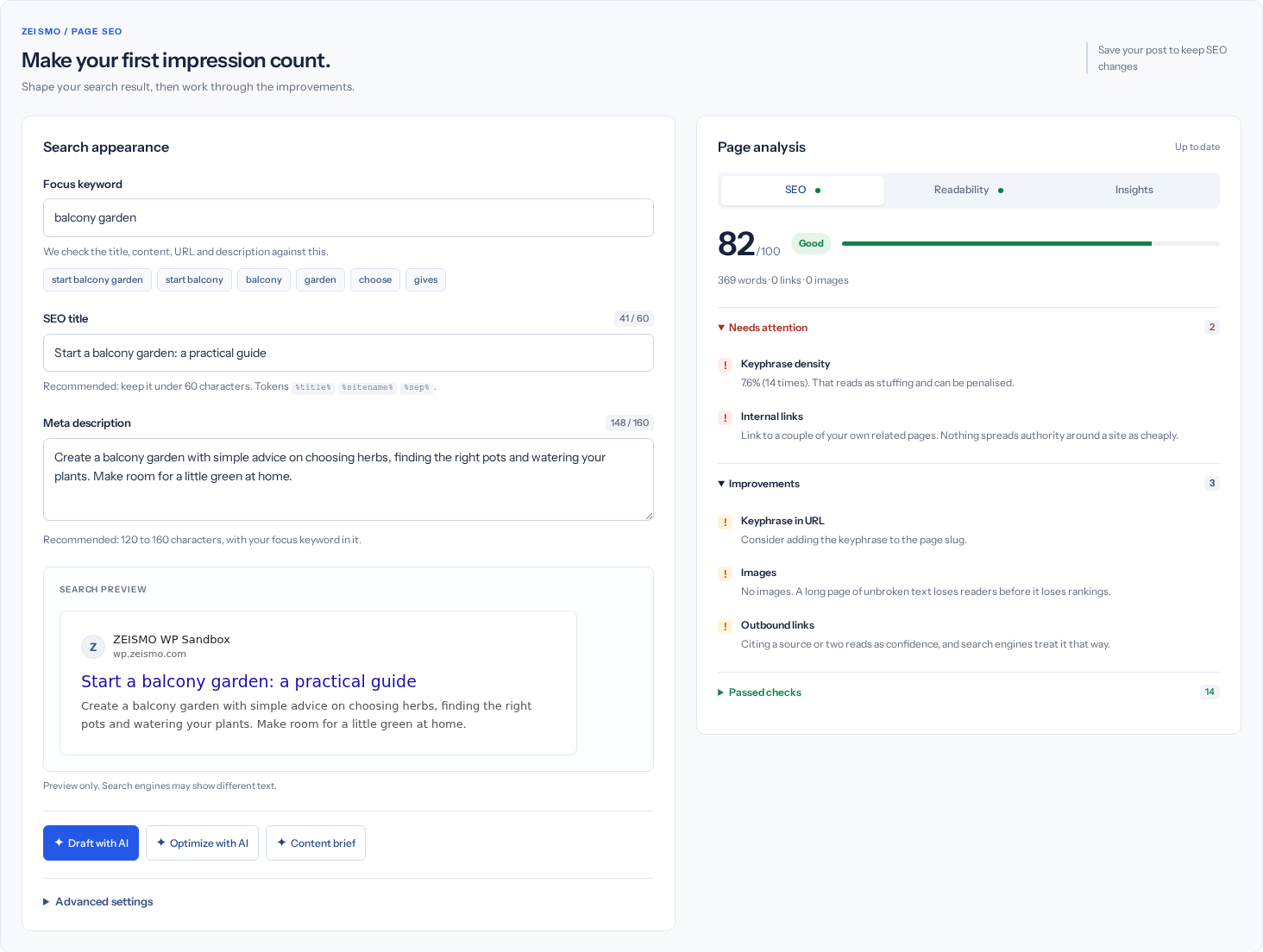
2. Write your search appearance
- Choose a focus keyword.
Enter the main phrase that describes the page, or choose a suggested keyword chip. This phrase guides the local analysis.
- Review the SEO title.
Use a clear title that matches the page. You can type your own or use supported template tokens such as
%title%,%sitename%and%sep%. - Write the meta description.
Summarize the page accurately. The length counter helps you edit; it is guidance rather than a guaranteed search display limit.
- Read the search preview.
Check the title, description and site context together. Search engines may display different text, so treat this as a preview.
3. Work through the analysis
- Start with Needs attention.
Open the group and read each recommendation. Make relevant changes to your title, description or page content; repeated keywords are not a substitute for useful writing.
- Review Improvements and Passed checks.
Expand each group as needed. A passed check confirms that rule, not the overall quality of the page.
- Switch to Readability.
Use the writing checks to spot sentences or paragraphs that may be hard to read. Keep your audience and language in mind when deciding what to change.
- Open Insights.
Review word count, reading estimates and recurring terms. These describe the page content, not external keyword demand or search positions.
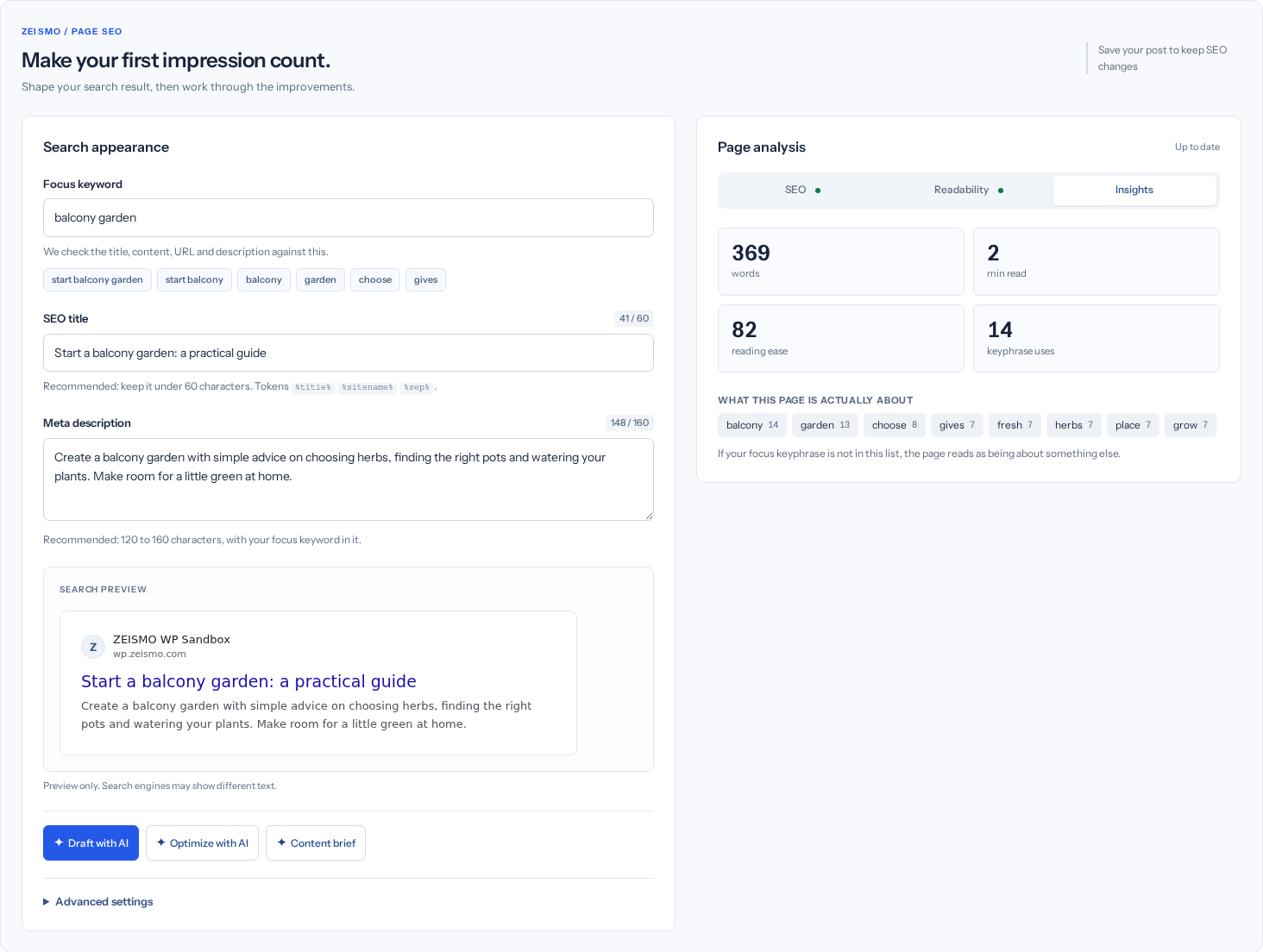
Check your result: The analysis status returns to Up to date after your changes. If a refresh fails, keep your work and follow the troubleshooting guide.
4. Use advanced settings when needed
Expand Advanced settings beneath the search fields. Change only the controls relevant to this page.
| Control | When to use it |
|---|---|
| Hide this page from search | Request noindex for a page you do not want listed. This is not password protection. |
| Leave this page out of the sitemap | Exclude the URL from the sitemap. Review indexing settings separately. |
| Canonical URL | Specify a preferred URL when you have a deliberate canonical strategy. |
| Social title, description and image | Customize the sharing preview. Otherwise the plugin uses its available fallback values. |
| Page type, FAQ and How-to | Describe content that is actually present on the page. Structured data does not guarantee a special search result. |
| Cornerstone content | Mark an important page for the plugin's cornerstone analysis. |
| Language versions | Connect equivalent translated URLs. The control may be disabled when another multilingual plugin handles hreflang. |
5. Save, reload and check
- Save the WordPress page.
Use the editor's Save, Update or Publish button as appropriate. Editing SEO fields or accepting an AI draft does not replace this step.
- Reload and verify.
Reopen the page and confirm that the focus keyword, title and description persisted.
- Check the public page.
Preview the page after saving. If a cache serves an older version, refresh that cache and check again.
Check your result: Your saved SEO fields remain after reloading. Search engines decide when to revisit and update their results.
Gutenberg, Elementor and structured data
Use the ZEISMO sidebar in Gutenberg or document panel in Elementor. Save SEO fields with the relevant controls and check them after reloading. Reusable schema templates must describe the visible page accurately; review a copied template before saving. Author/reviewer profiles and business locations must represent real people and organizations. Native blocks add supported visible content with corresponding structured data.